Turn analytics into intelligent action inside your SaaS product.
Qrvey helps SaaS teams embed AI-powered workflow automation directly into customer-facing analytics so users can monitor data, trigger actions, and automate operational processes without leaving your application.
With built-in AI capabilities powered by Qrvey Sidekick and AI agents, workflows can also incorporate conversational interactions, intelligent recommendations, and guided actions - all within a governed multi-tenant environment.






Dashboards alone do not drive action.
Most analytics experiences stop at reporting. Users can identify trends, monitor KPIs, and explore dashboards - but they still need to decide what to do next, switch systems, coordinate workflows, and manually execute operational tasks.
What your customers want
As SaaS products evolve, users increasingly expect analytics experiences that can:
- Trigger actions automatically
- Alert teams proactively
- Guide operational decisions
- Reduce repetitive manual work
- Help users move faster from insight to action
The challenge of delivering
For product and engineering teams, building that infrastructure internally is difficult. Embedded workflow automation requires:
- Multi-tenant security and permissions
- Event-driven workflow logic
- Embedded user experiences
- Data-aware triggers and actions
- Scalable orchestration infrastructure
- Governance across customers and workflows
And now, SaaS teams need to layer AI into those workflows in controlled, practical ways.
AI-powered workflow automation built for embedded analytics.
Qrvey combines embedded analytics, workflow automation, and AI into a unified platform designed specifically for multi-tenant SaaS applications. Instead of forcing users to jump between dashboards, emails, tickets, spreadsheets, and operational tools, Qrvey enables workflows to operate directly inside the product experience.
All within the same embedded experience that looks and feels native to your UX.
From analytics signal to automated workflow.
Connect and structure data
Bring customer data into Qrvey using APIs, connectors, or the built-in multi-tenant data layer.
Define workflows and triggers
Configure workflows based on analytics events, thresholds, status changes, or operational conditions.
Embed workflows into your product
Deliver workflow automation directly inside your customer-facing application.
Automate actions and responses
Trigger notifications, escalations, write-backs, integrations, or operational actions automatically.
Enhance workflows with AI
Use Qrvey Sidekick and AI agents to provide conversational interactions, recommendations, workflow guidance, and contextual assistance.
Everything needed to automate analytics-driven workflows.
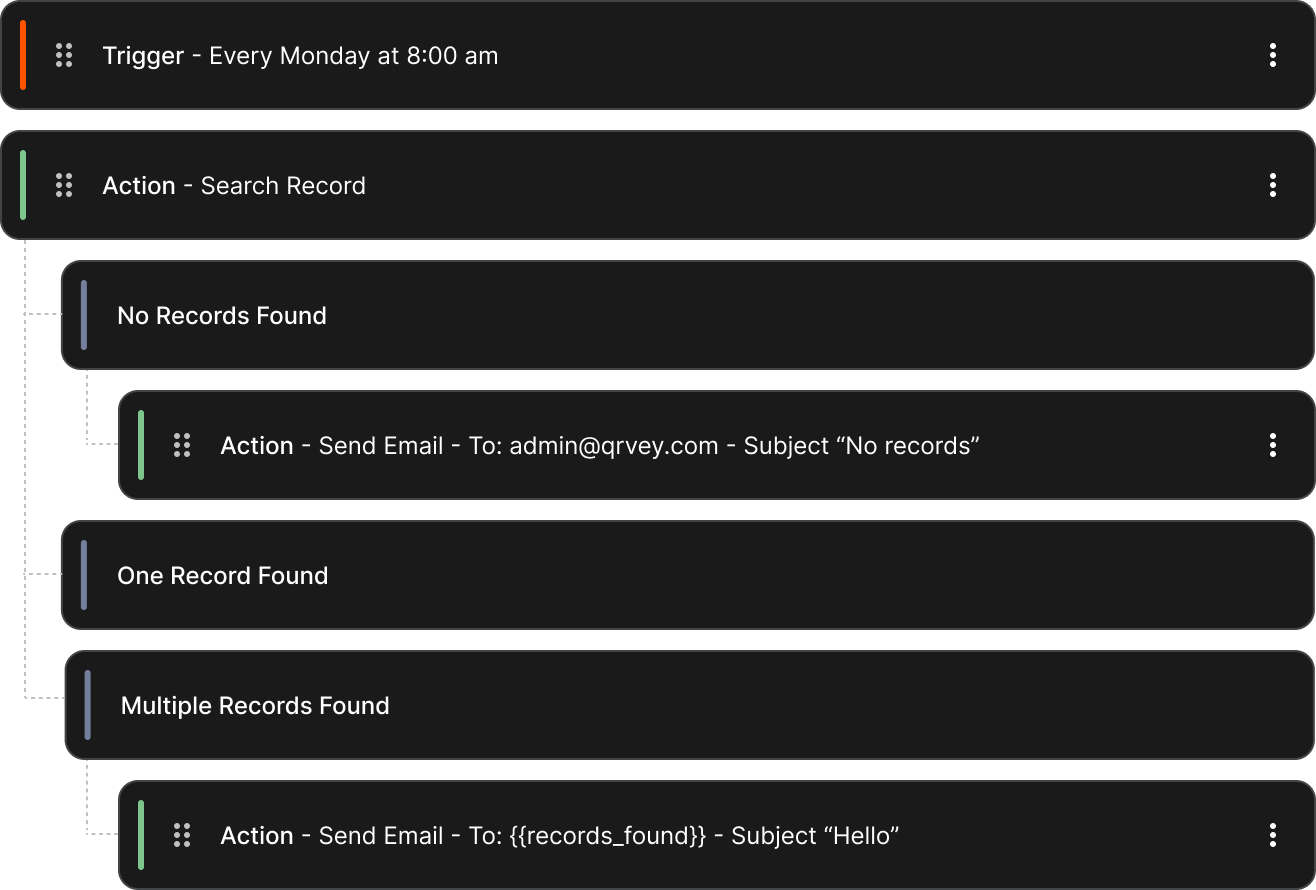
Embedded no-code workflow builder.
Allow users to create workflows directly within your SaaS application without relying on engineering or support teams.
- Drag-and-drop workflow creationA visual canvas for chaining triggers, conditions, AI Agents, and actions.
- User-defined triggers and actionsCustomers compose from the triggers, conditions, and actions your product team exposed.
- Embedded customer-facing workflowsWorkflows live inside the same product UI as the analytics - same brand, same navigation, same mental model.
- Self-service automation experiencesPower users automate their own processes inside the product, governed by the rules your team defined.
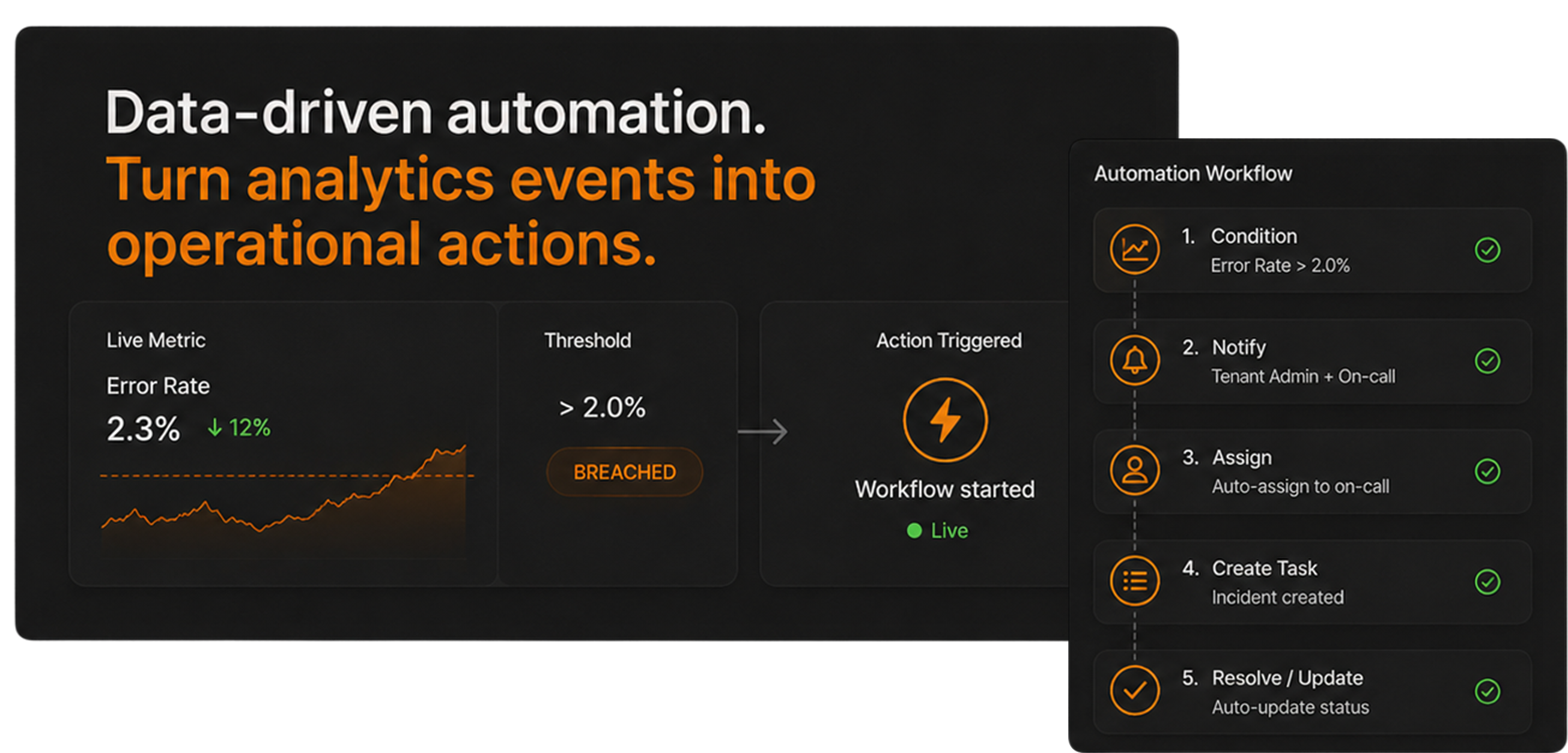
Data-driven automation.
Turn analytics events into operational actions.
- Trigger workflows from analytics conditionsThe workflow listens to the same metrics your customers see on the dashboard - and fires the moment a threshold crosses.
- Monitor thresholds and anomaliesBackground monitors run on tenant-scoped data and flag what crosses the line - without a separate observability stack to maintain.
- Automate notifications and escalationsNotify the right user, the right tenant admin, the right channel - with the data context attached.
- Reduce repetitive operational tasksAuto-assign, auto-resolve, auto-update - the parts of the job that used to be manual become workflows running in the background.
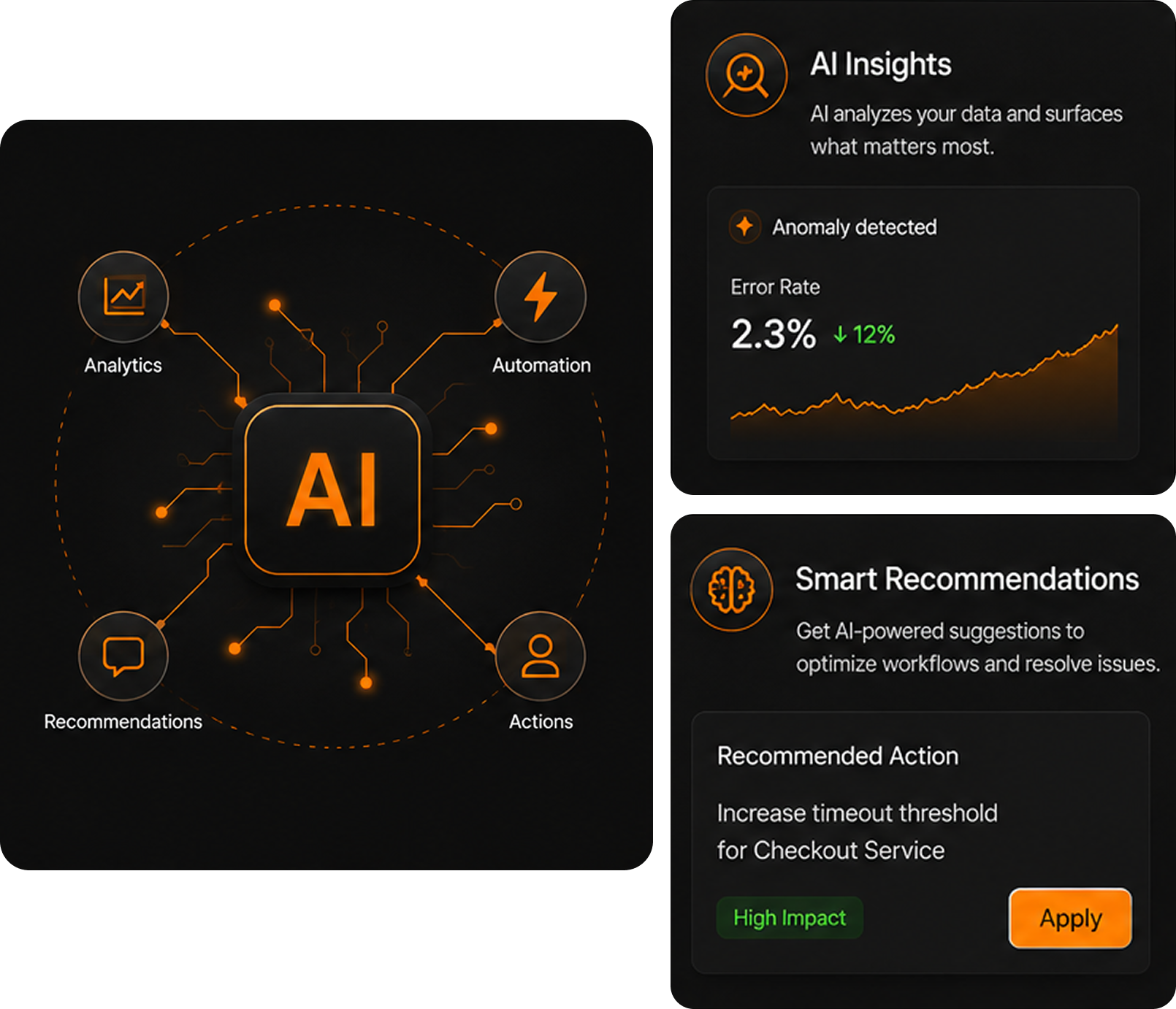
AI-assisted workflows.
Use AI to improve how users interact with workflows and analytics. Powered by Qrvey Sidekick and AI agents, workflows can include:
- Conversational workflow interactionsUsers ask Sidekick what is happening, what changed, what to do next - in plain language, inside the same surface.
- AI-guided recommendationsSidekick suggests which workflow to run, which agent to invoke, and which action to take - grounded in the customer data.
- Context-aware assistanceAI agents operate with layered context - product, customer, and domain-specific - plus the instructions your team defined.
- Natural-language workflow execution"Trigger renewal workflow for Acme" runs the right workflow with the right scope. No clicking through a builder for routine actions.
- Intelligent operational suggestionsThe agent surfaces what to do next based on the analytics context - recommended workflows, the right escalation, the next action.
AI operates within the same governed analytics environment used throughout the platform.
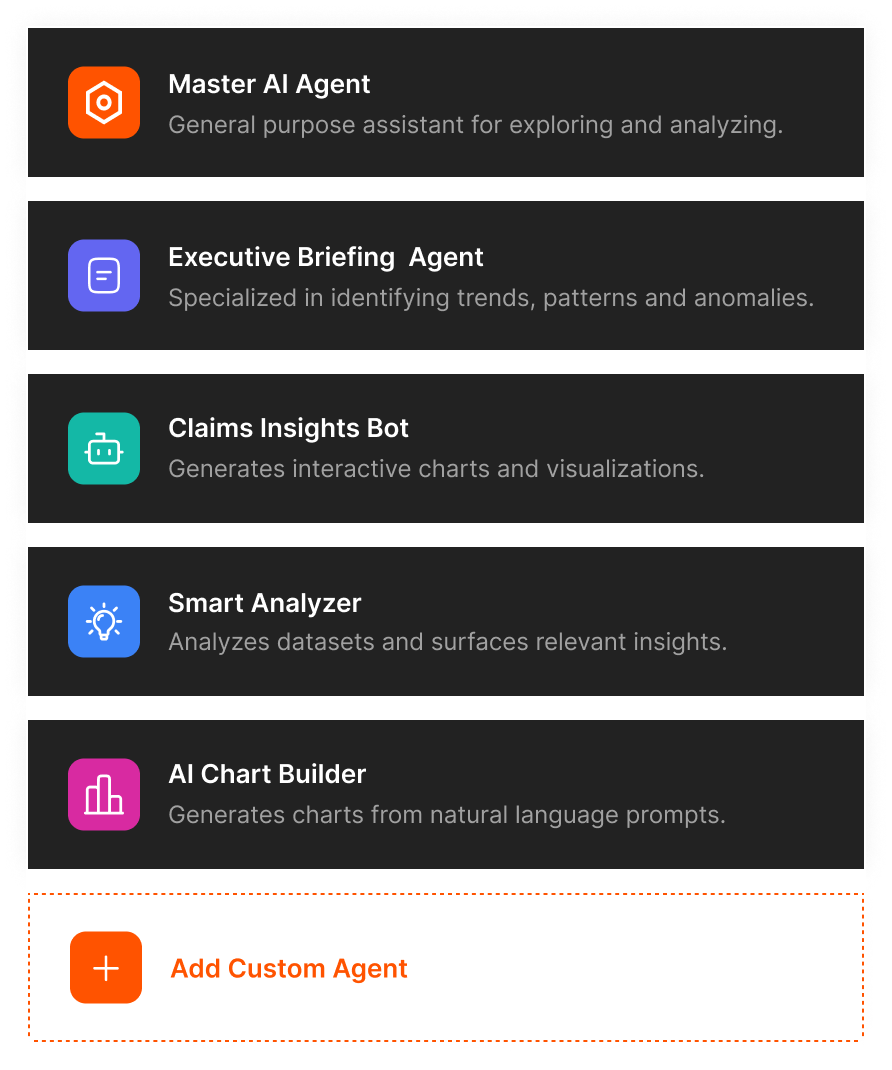
Custom AI agents for operational workflows.
Product teams can configure custom AI agents aligned to their workflows, business logic, and customer use cases.
- Guide operational decisionsAn agent for renewal advice, one for billing exceptions, one for onboarding triage - each with its own scope, instructions, and approved actions.
- Recommend next actionsAgents combine the analytics context with your business logic to suggest the next workflow, the next action, or the next person to escalate to.
- Automate repetitive analysisThe "look at this account every Monday" task becomes a scheduled agent that summarizes, flags exceptions, and routes anything unusual to a human.
- Support customer workflowsCustomers interact with agents you defined for their use case - not a generic AI assistant.
- Interact with governed analytics assetsAgents reach data, dashboards, and metadata through the governed access layer - the same one your dashboards already use.
This allows SaaS companies to introduce AI capabilities in structured, controlled ways rather than exposing generic AI experiences.
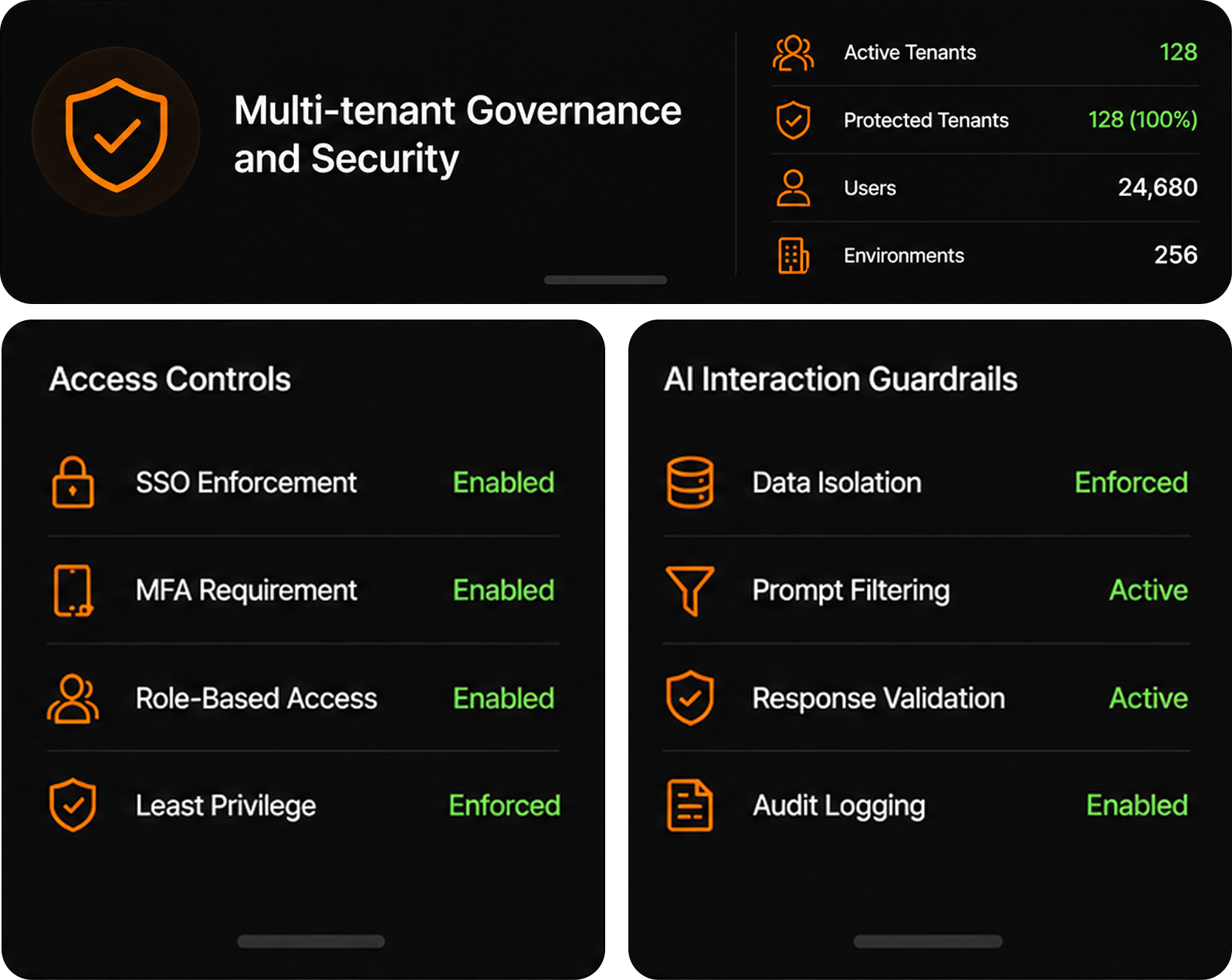
Multi-tenant governance and security.
Workflows and AI interactions remain aligned with your SaaS security model.
- Tenant-aware workflow executionEvery workflow runs inside the requesting tenant scope - triggers, conditions, agents, and actions share one consistent boundary.
- Governed AI accessSidekick and agents reach datasets, dashboards, and metadata through the same access layer that enforces your tenant model.
- Role-based permissionsEnd users, power users, and tenant admins each get different workflows, different agents, and different actions automatically.
- Secure operational actionsWrite-backs, integrations, and external API calls go through scoped credentials so workflows act on the user behalf without leaking access across tenants.
- Controlled access to analytics assetsRow, column, object, and feature-level rules - defined once, applied across dashboards, workflows, Sidekick, and agents.
Powered by the Qrvey MCP Server, AI and automation operate directly on the same governed analytics structures used throughout the platform.
Intelligent workflows create more valuable product experiences.
What modern SaaS users expect
Modern SaaS users increasingly expect products that do more than visualize data. They expect software that helps them:
- Respond faster
- Reduce manual work
- Automate repetitive processes
- Receive proactive recommendations
- Operationalize analytics directly inside workflows
What SaaS teams gain with Qrvey
With Qrvey, SaaS teams can:
- Increase product stickiness and retention
- Accelerate workflow automation delivery
- Add practical AI capabilities into workflows
- Reduce engineering complexity
- Differentiate their product experience
- Move toward AI-native operational workflows over time
By combining embedded analytics, workflow automation, and governed AI capabilities, Qrvey helps SaaS teams deliver more intelligent customer experiences without building the infrastructure internally.
Built differently than generic automation tools.
Most workflow automation platforms are designed for internal business operations, not embedded multi-tenant SaaS products. Qrvey is purpose-built for customer-facing analytics and workflows.
What they say when we are not in the room.
The flexibility and ease of use with Qrvey platform allows us to satisfy any use case that our customers ask for. They are blown away all the time when we say "Sure, we can support this request. We will have this ready for you later today." That directly helps our customers run more efficiently and deliver a better experience so nothing falls through the cracks.

Dashboards show users what happened.
Qrvey helps them act on what is next.
Build AI-enhanced data workflow automation into your SaaS product with embedded triggers, governed AI agents, and workflows that inherit your multi-tenant security model.
Runs in your cloud, not ours